In order to create a new email account in MW Panel, follow the instructions below:
1. Log in to your MW Panel.
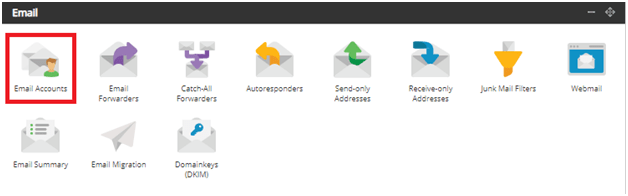
2. Scroll through MW Panel until you find the Email Accounts icon. Click on the icon.
3. In the Email field, type the name you want and select the domain name from the drop-down menu below, and Click on Create Email Account.

4. log in webmail, and check your email account. through this link :- https://webmail.mwhoster.com/

Congratulations! You now understand how to create an email account in MW Panel! For more information, please contact us support@mwhoster.com.


